A specimen set in the font itself
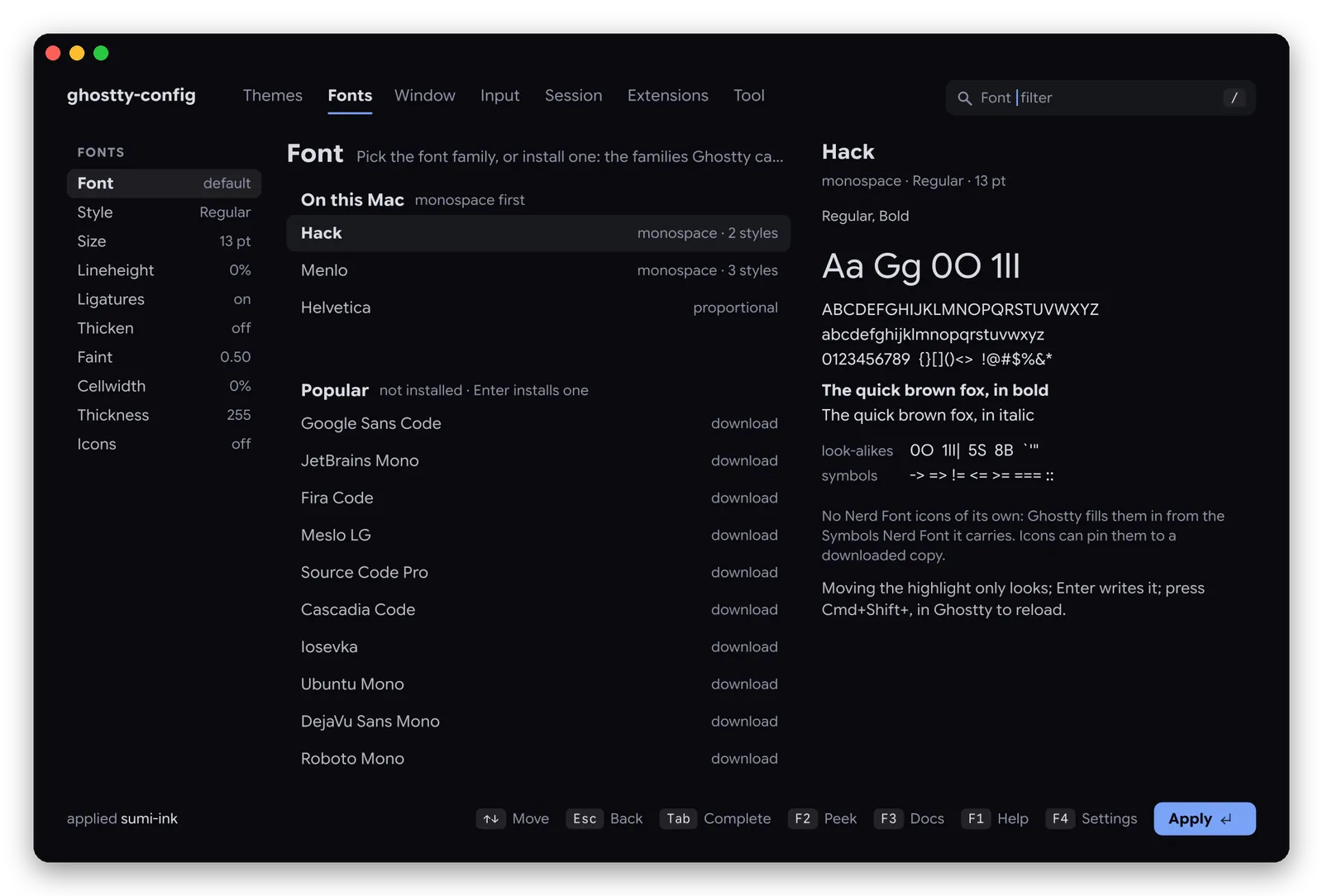
Family, style and size, spacing, ligatures, the OpenType features and variable axes the font really has. 70 monospace families download in one Enter; a missing or proportional font gets a suggestion.
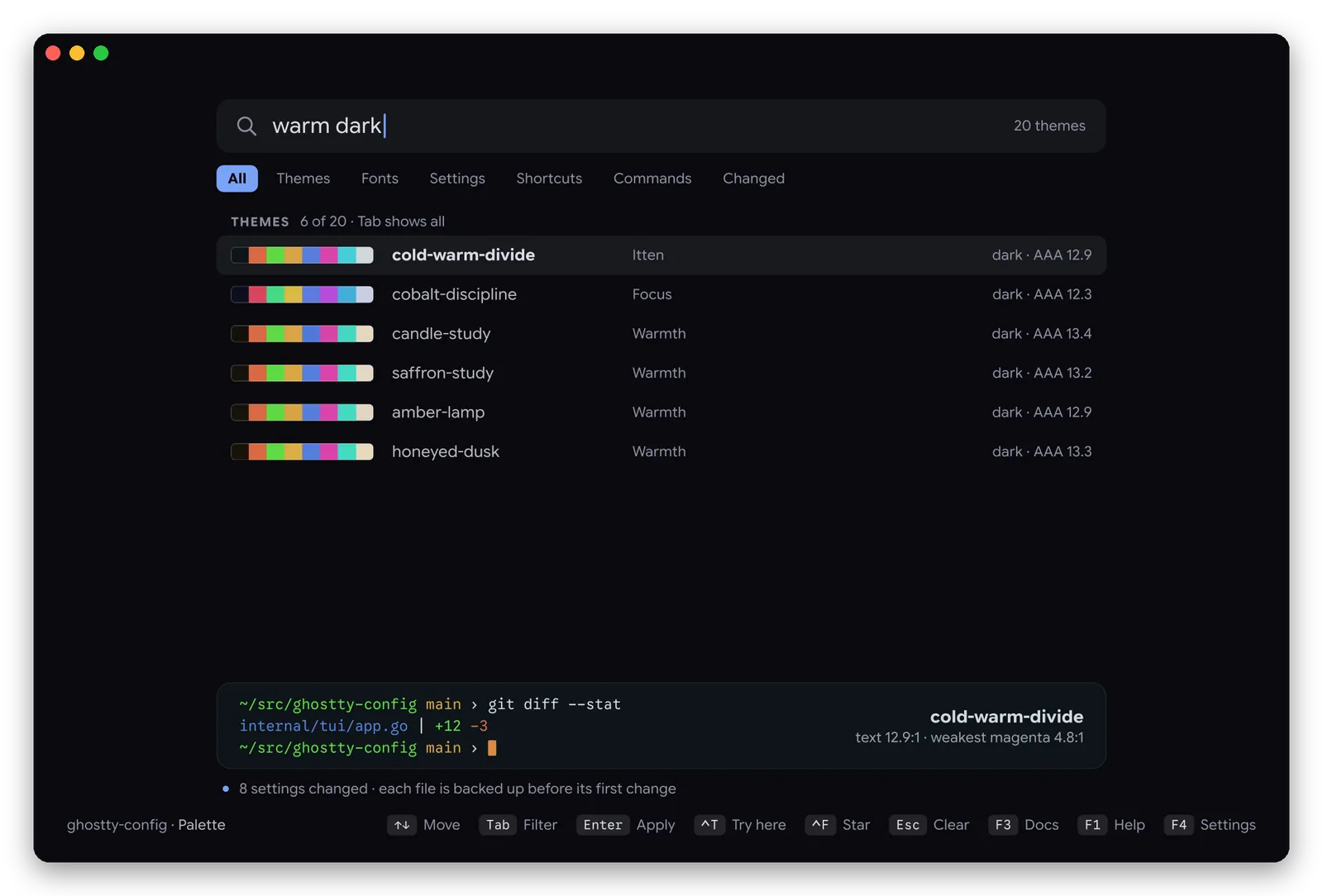
Themes, fonts, shortcuts and every everyday setting of Ghostty, in a full-screen interface inside the terminal. A single binary, installed with one command.
$curl -fsSL https://ghostty-config.vitruves.workers.dev/install.sh | sh
or pip install ghostty-config
Many Ghostty helpers are Python packages: an interpreter, a virtual environment, dependencies to resolve, a pause at every launch. ghostty-config is written in Go and compiled to one native binary. It opens instantly, redraws the whole screen as images without a stutter, and needs nothing else on your machine.
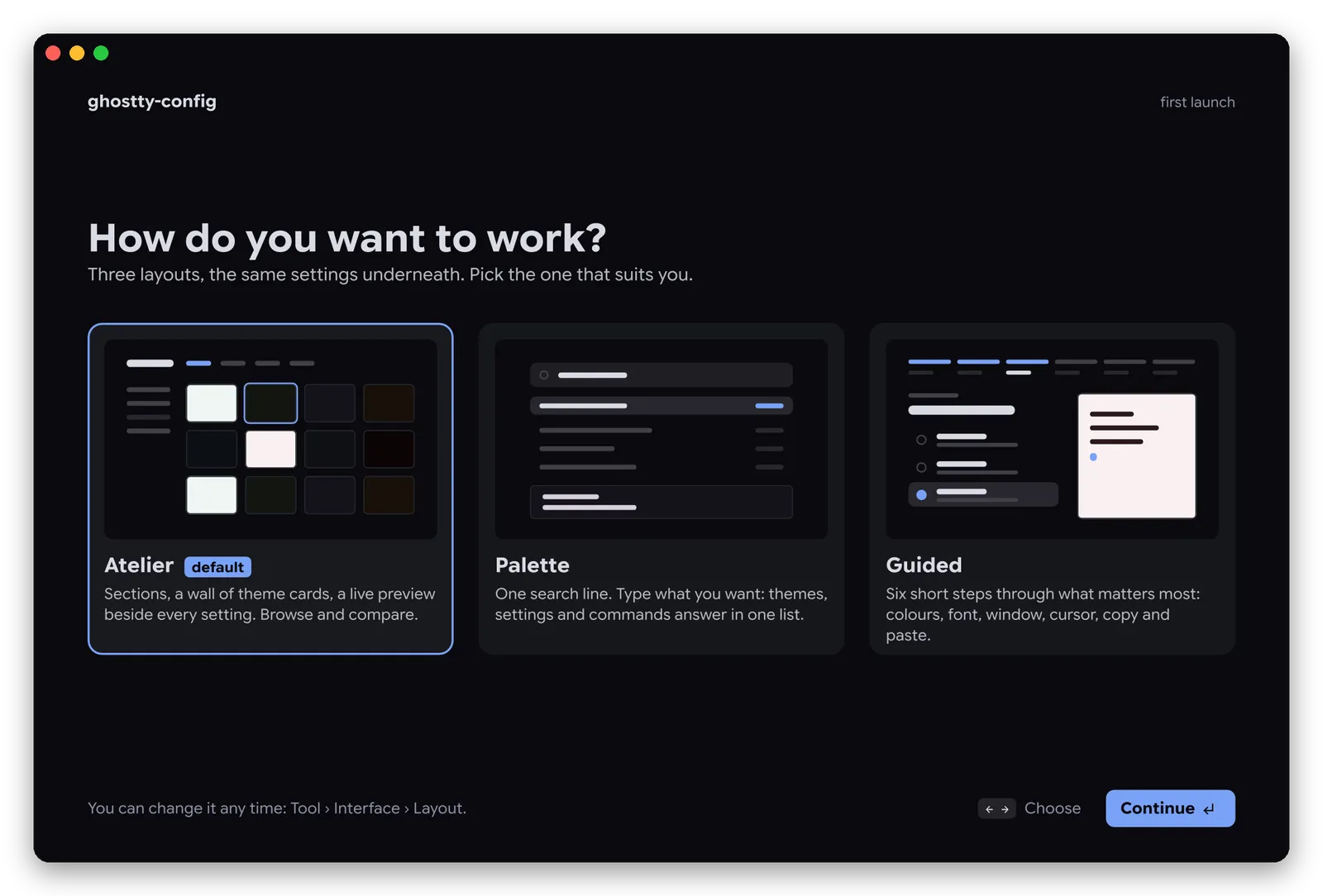
Browse, search, or be guided. A chooser asks at first launch; switch any time with F4.
The first time it runs, and after an update that brings something new, ghostty-config shows its three layouts side by side. Nothing is locked in: Tool → Interface → Layout changes it later.
Everything can be clicked too: sections, pills, switches, sliders. A double click on a theme card applies it.
Browsing changes nothing. A theme or a font is written when you press Enter on it, a setting when you change its value.
Family, style and size, spacing, ligatures, the OpenType features and variable axes the font really has. 70 monospace families download in one Enter; a missing or proportional font gets a suggestion.
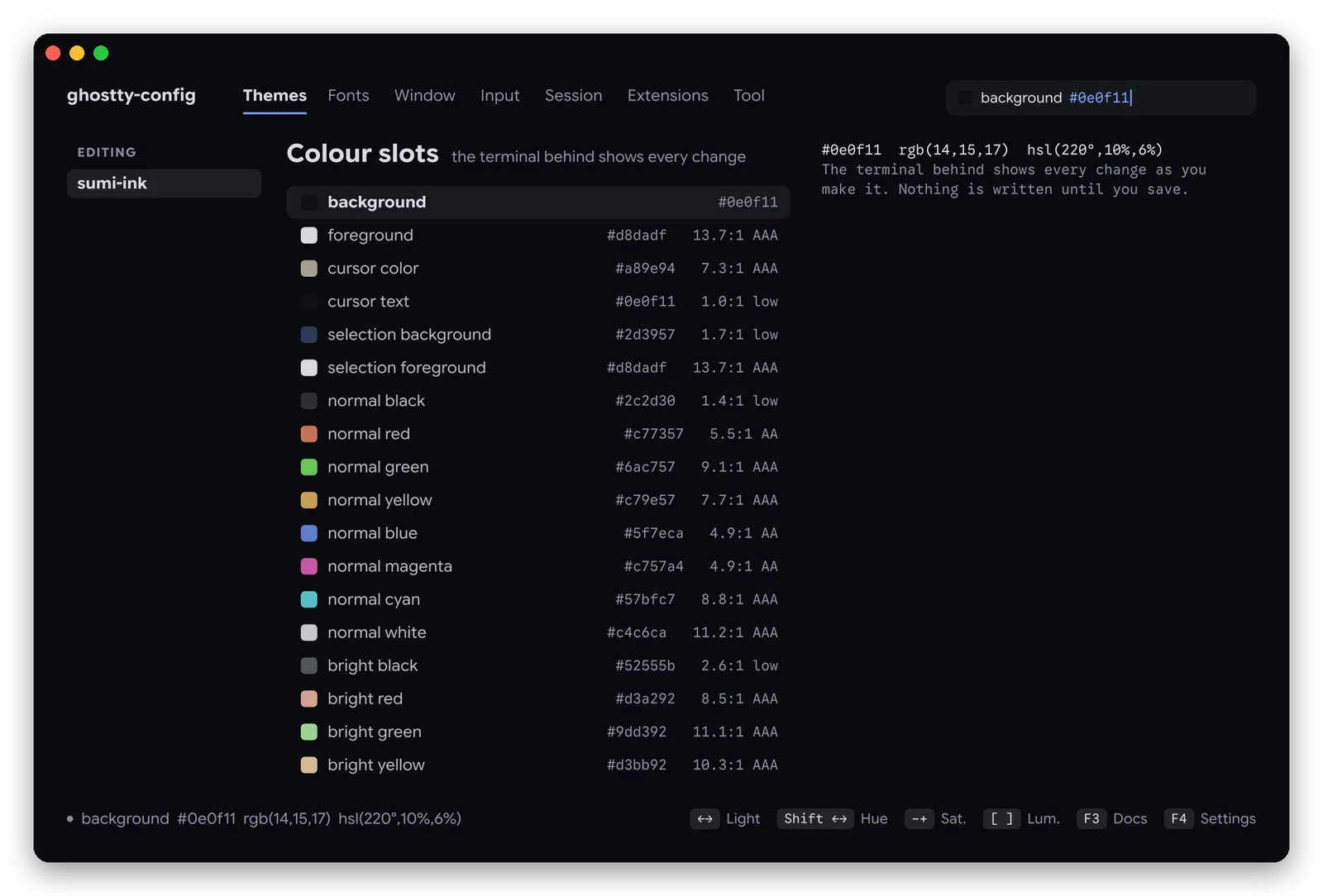
Every colour slot with its contrast ratio, edited by hue, saturation and lightness while the terminal behind changes.

Press the new shortcut; conflicts are shown before anything is written.

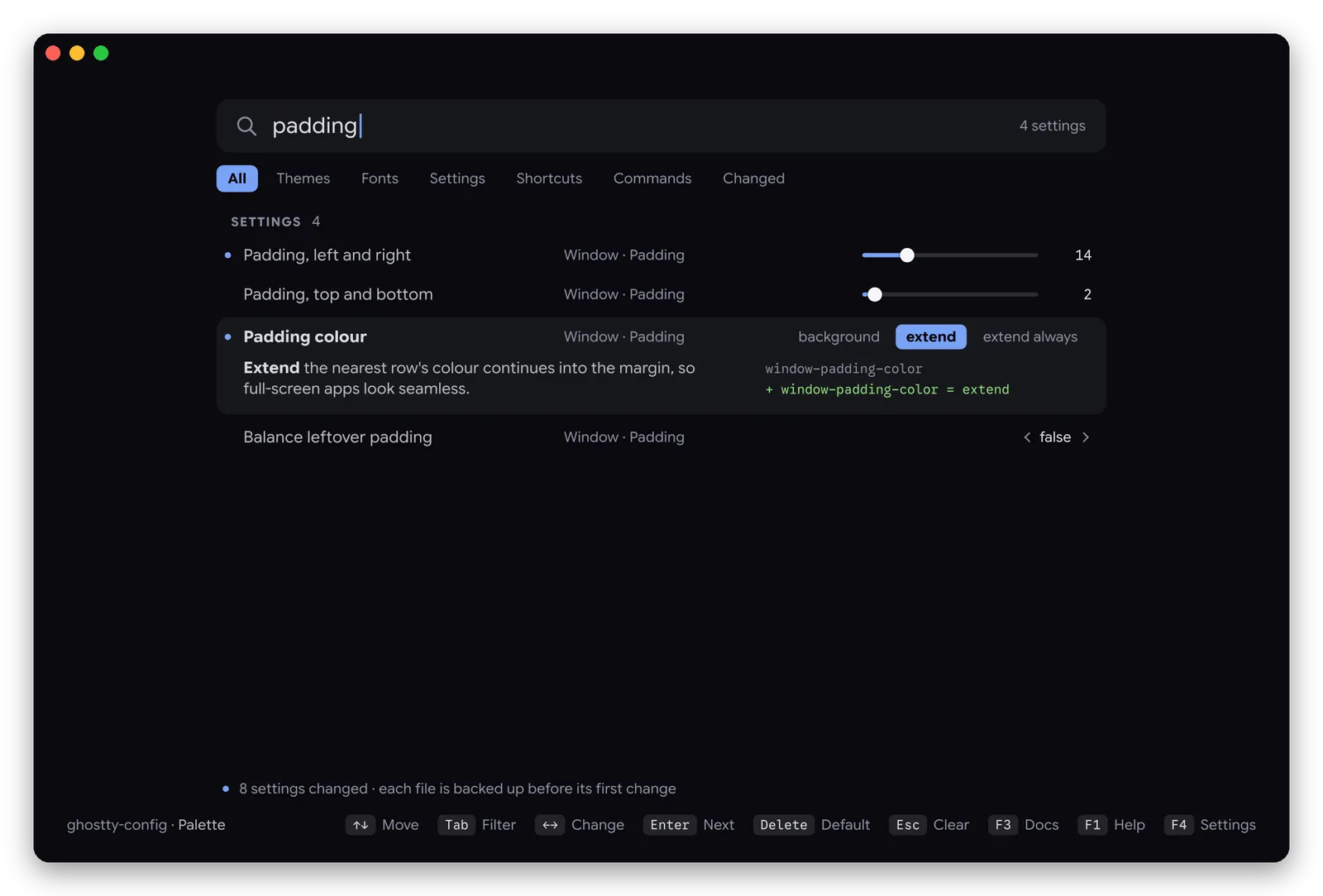
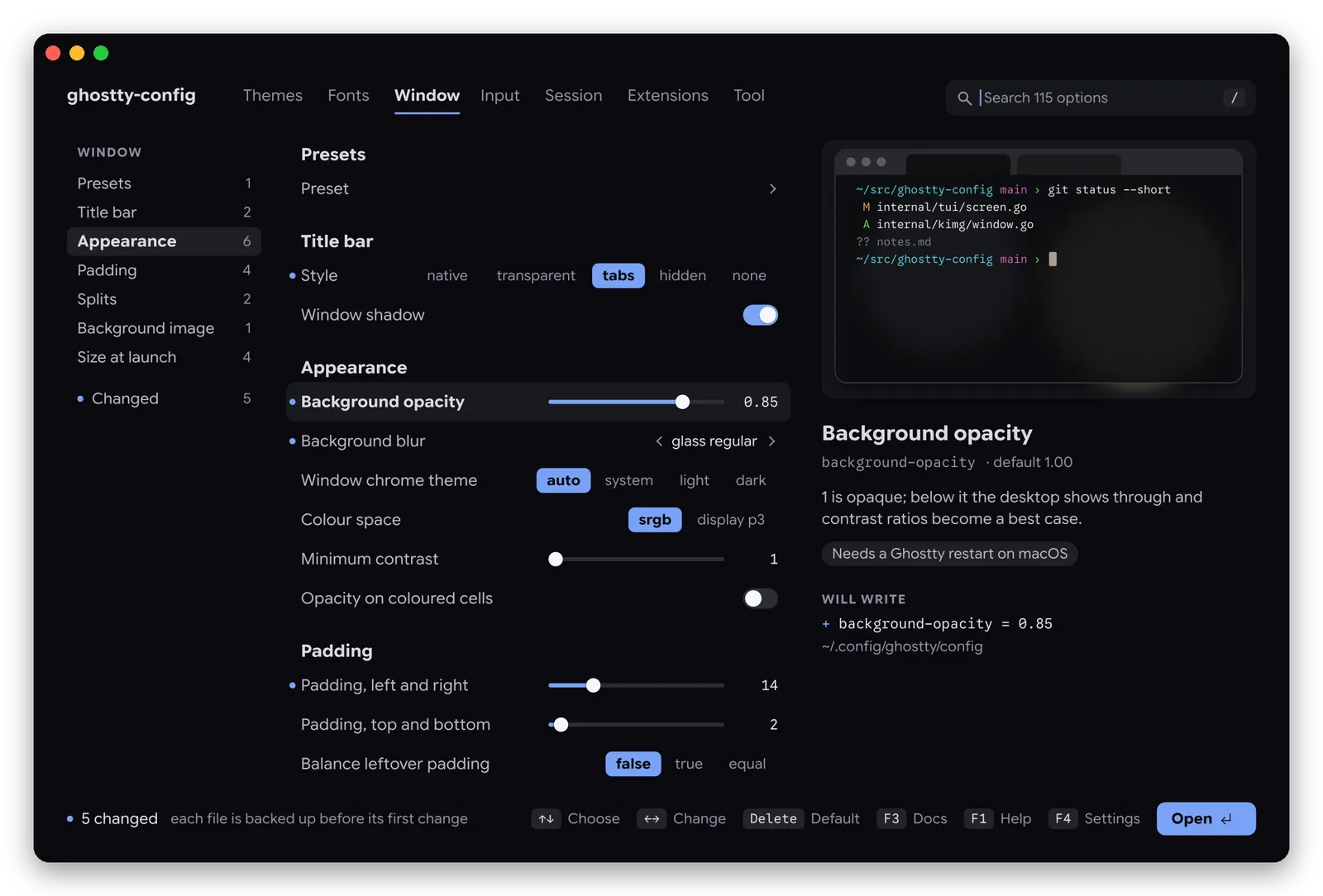
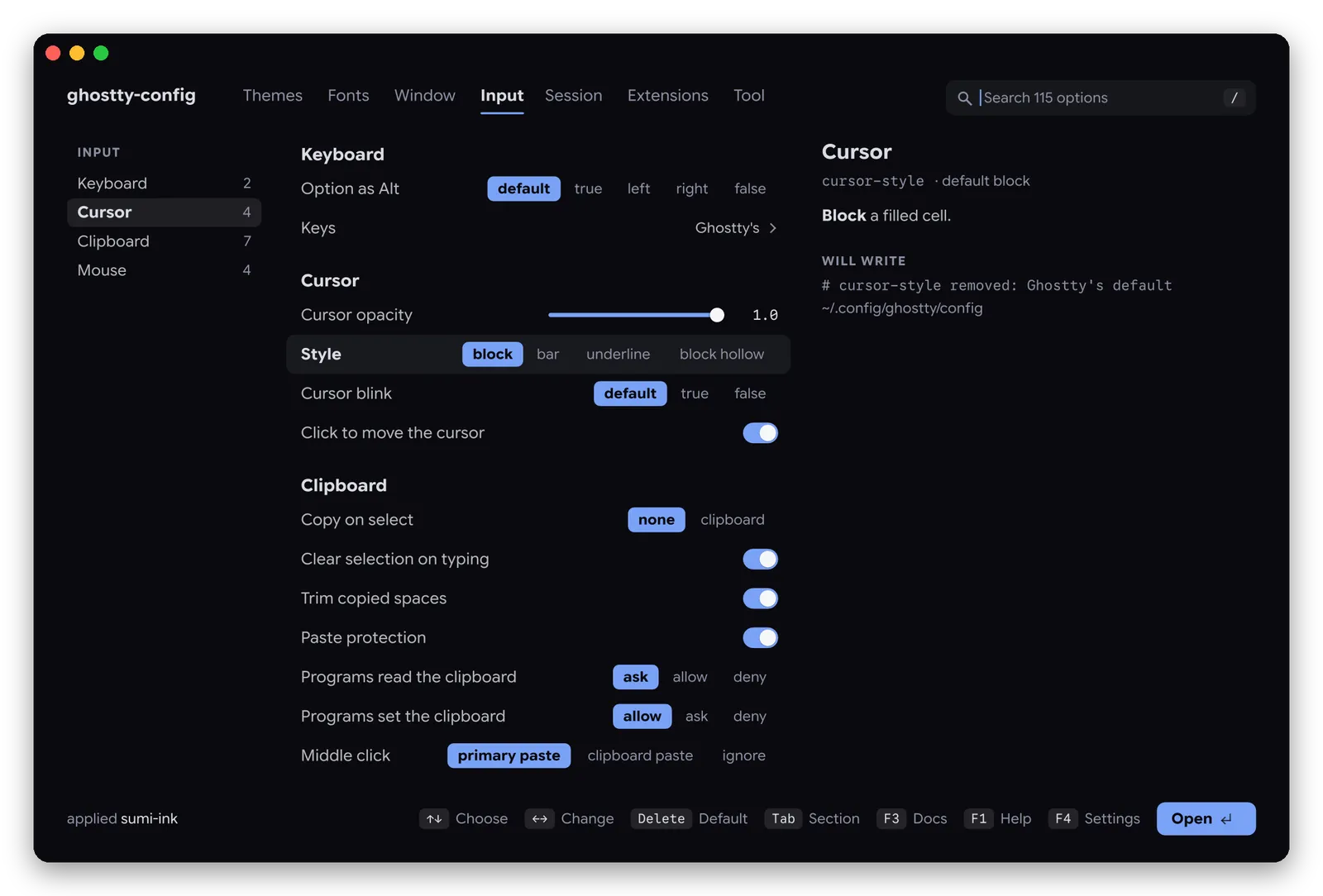
Search "padding", change it right there, and see the line it will write in your config.

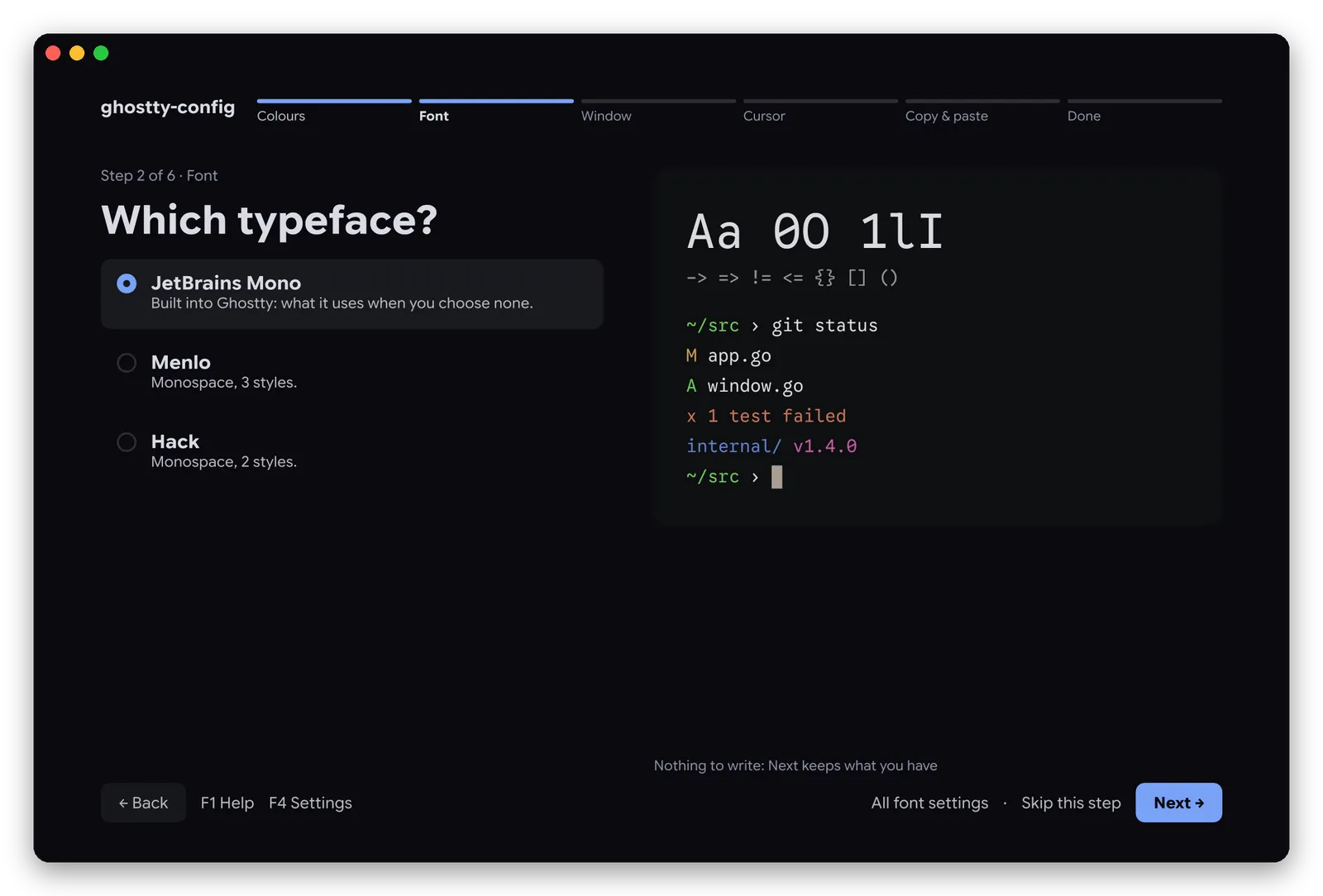
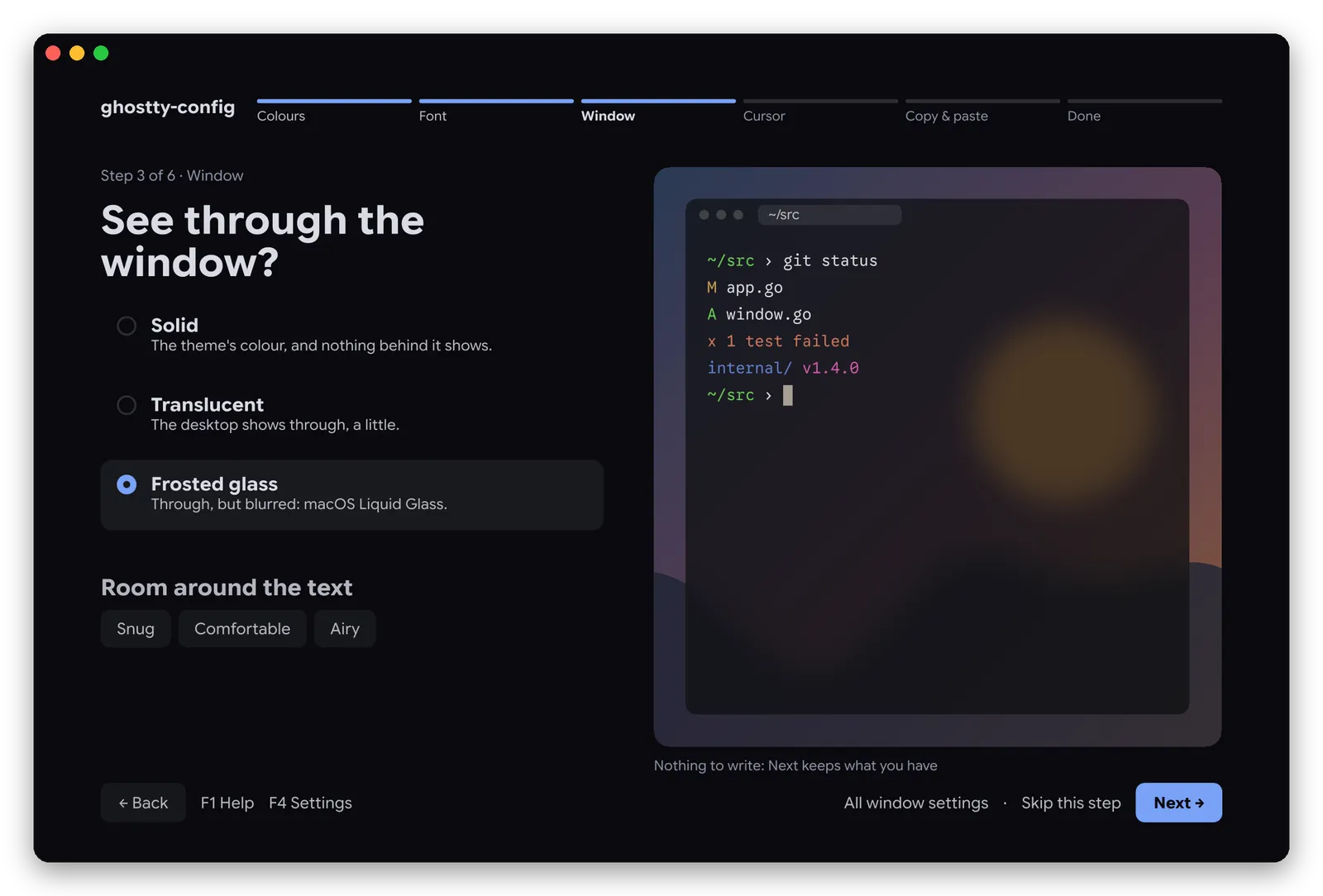
Light or dark? Which typeface? Big previews, no jargon.

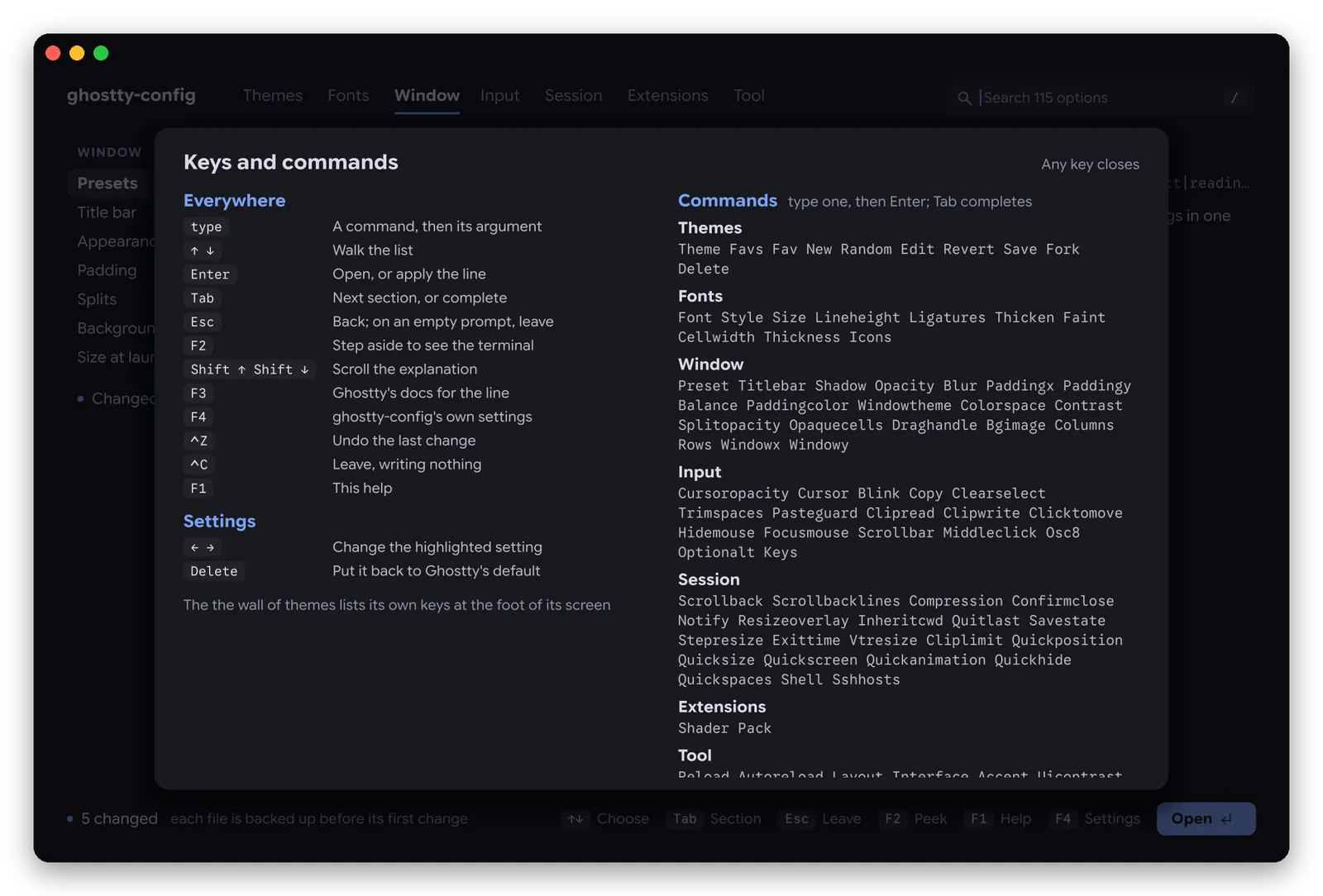
F1 lists them all; F3 opens Ghostty's own documentation for the highlighted line.

ghostty-config edits the file you already have, line by line, and checks every write.
Each setting is rewritten on its own line; comments stay. Edits made elsewhere meanwhile are kept too.
Every file is copied to ~/.config/ghostty-config/backups/ before its first change. Ctrl+Z undoes the last one.
After each write the config goes through ghostty +validate-config; any problem is shown with its line.
Ghostty reloads after each change: AppleScript on macOS, D-Bus reload-config on Linux.
In Ghostty and Kitty the interface is drawn as images; elsewhere, and in tmux, with plain text.
An hourly check for a new release at most, and the downloads you ask for. Nothing else.
The keys of Atelier; Palette and Guided show theirs in the footer.
ghostty-config.The script puts a checksum-verified binary for your system in ~/.local/bin. No Go, no git, no dependencies. Prefer a package manager? pip install ghostty-config installs the same binary. Works with Ghostty 1.3 and 1.4.
# install $ curl -fsSL https://ghostty-config.vitruves.workers.dev/install.sh | sh # or with pip (pipx and uv work too) $ pip install ghostty-config # run $ ghostty-config # or from source $ git clone https://github.com/vitruves/ghostty-config.git $ cd ghostty-config && make build && make local-install
-config file edit this file, not the default -themes dir user themes directory -cells draw with terminal text -no-images never draw images -plain only characters every terminal has -no-reload never ask Ghostty to reload -no-update-check never check GitHub for releases -paths print the files read and written -version print the version
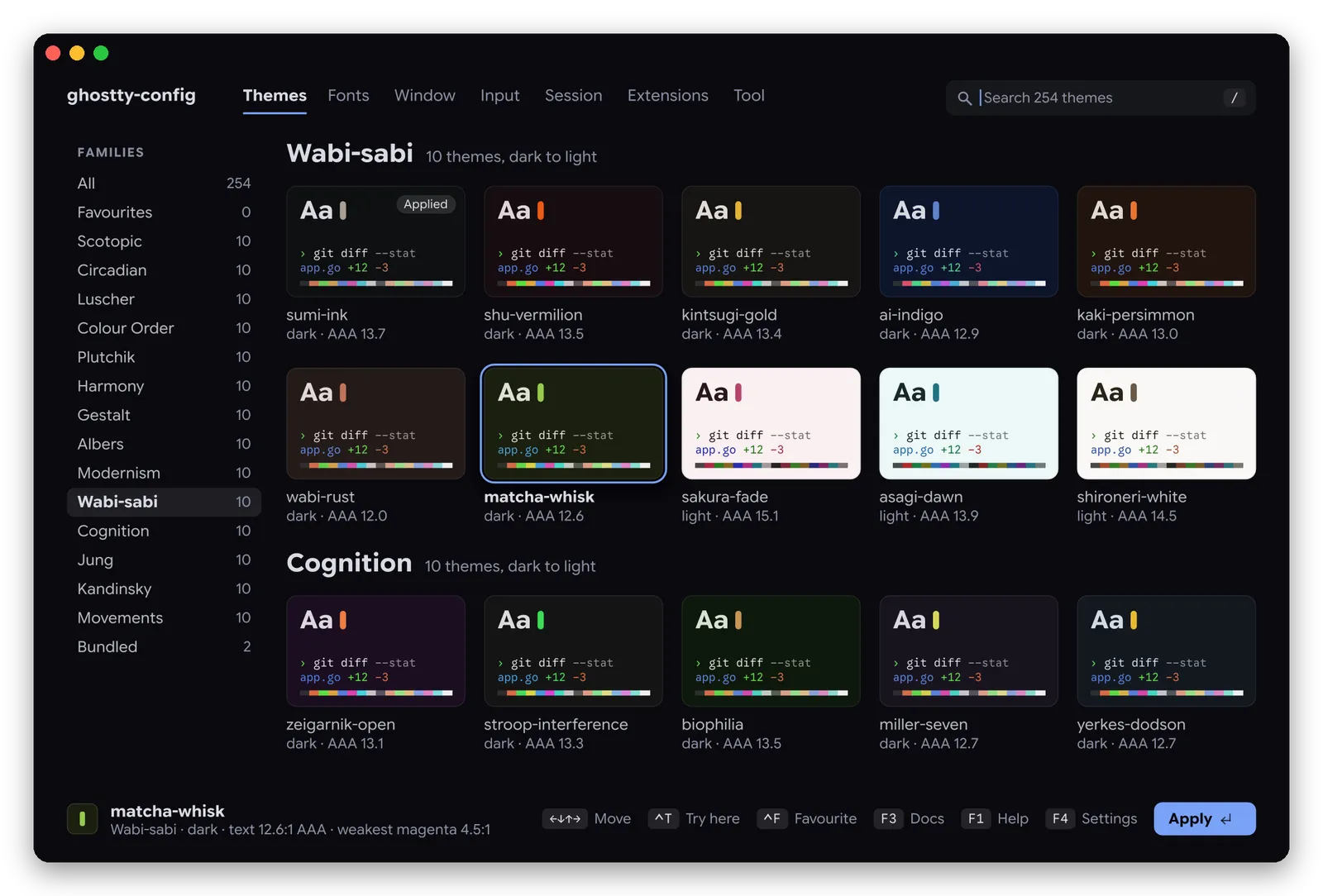
1071 themes, 70 fonts, every setting. Nothing written until you say so.
$curl -fsSL https://ghostty-config.vitruves.workers.dev/install.sh | sh
Or pip install ghostty-config · star it on GitHub to follow new releases.